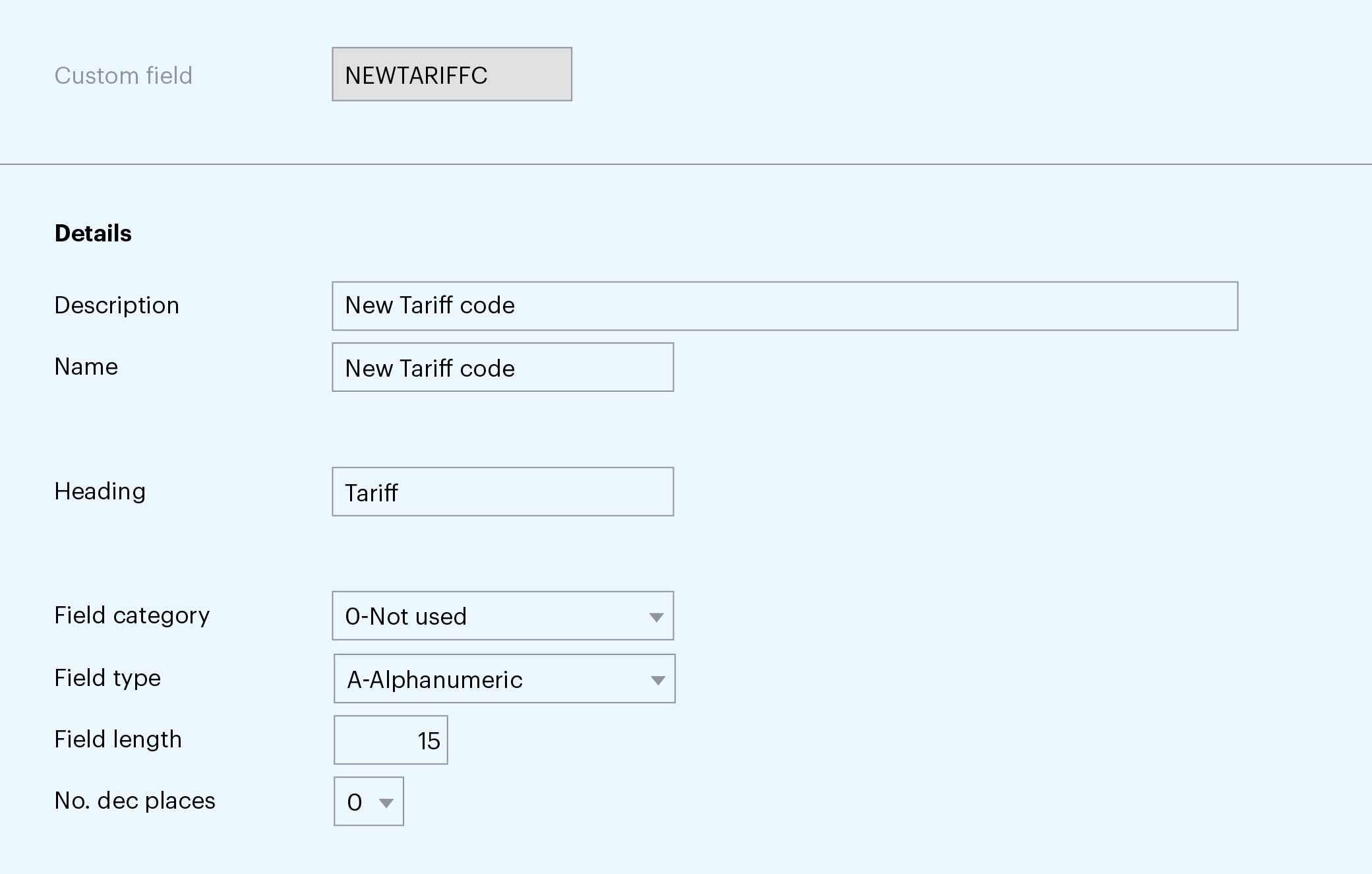
With the new tariffs, the imported goods will add increased charges to the total inventory cost. In general, costs incurred through duty/customs are specified by HTS codes (Harmonized Tariff Schedule) based on the imported goods category. M3 stores HTS codes in the item facility record MMS003. With the introduction of additional tariffs, new tariff codes must be defined, stored, and used to calculate the increased import cost.
The solution described here allows you to define multiple new tariff codes in M3 and to capture additional costs.
– Use item custom fields functionality in M3 to define new fields in CMS470
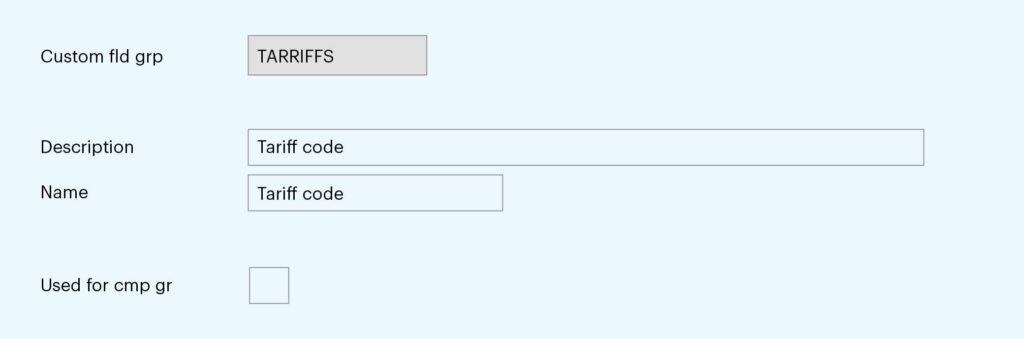
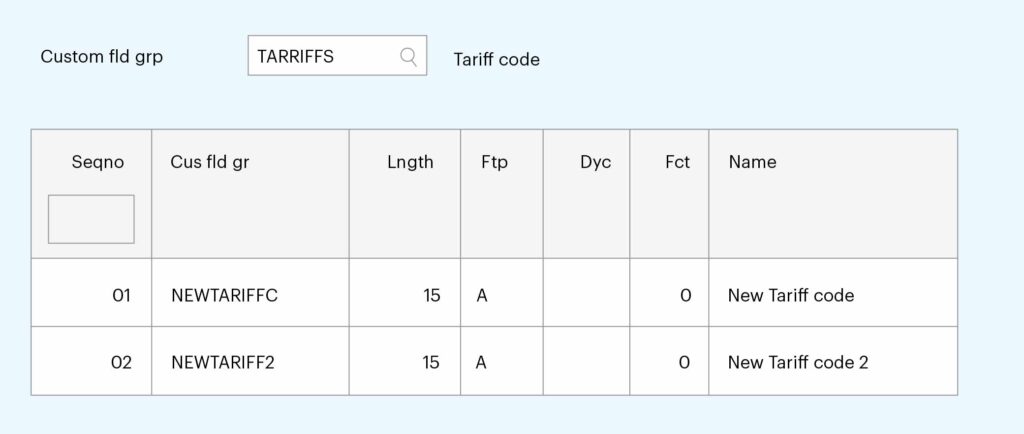
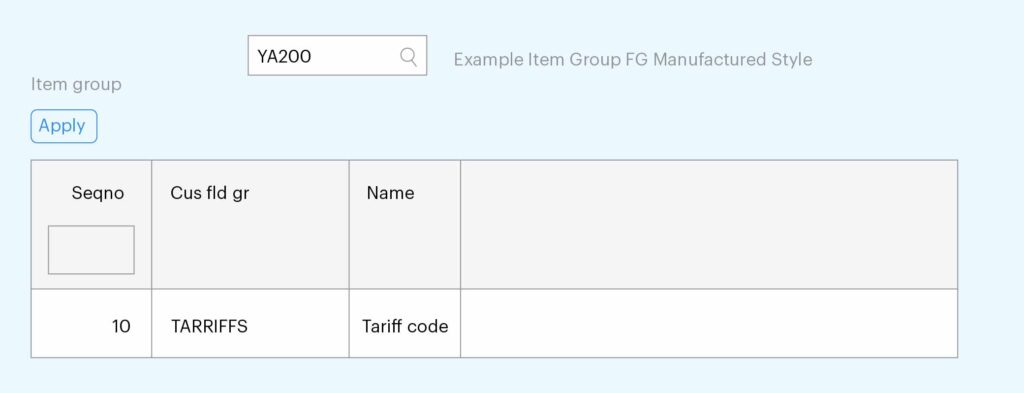
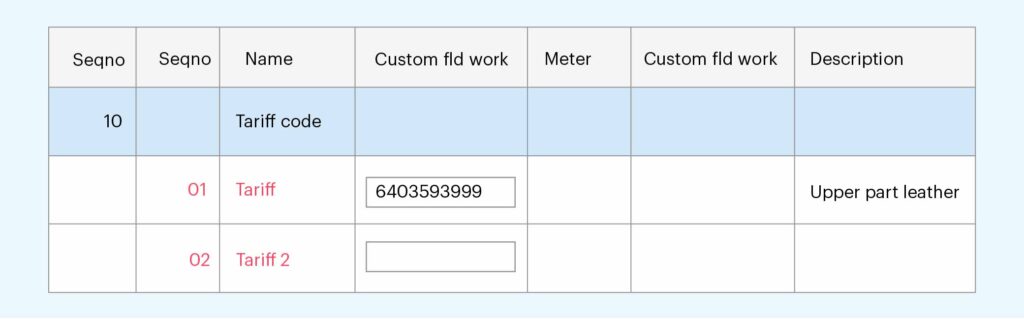
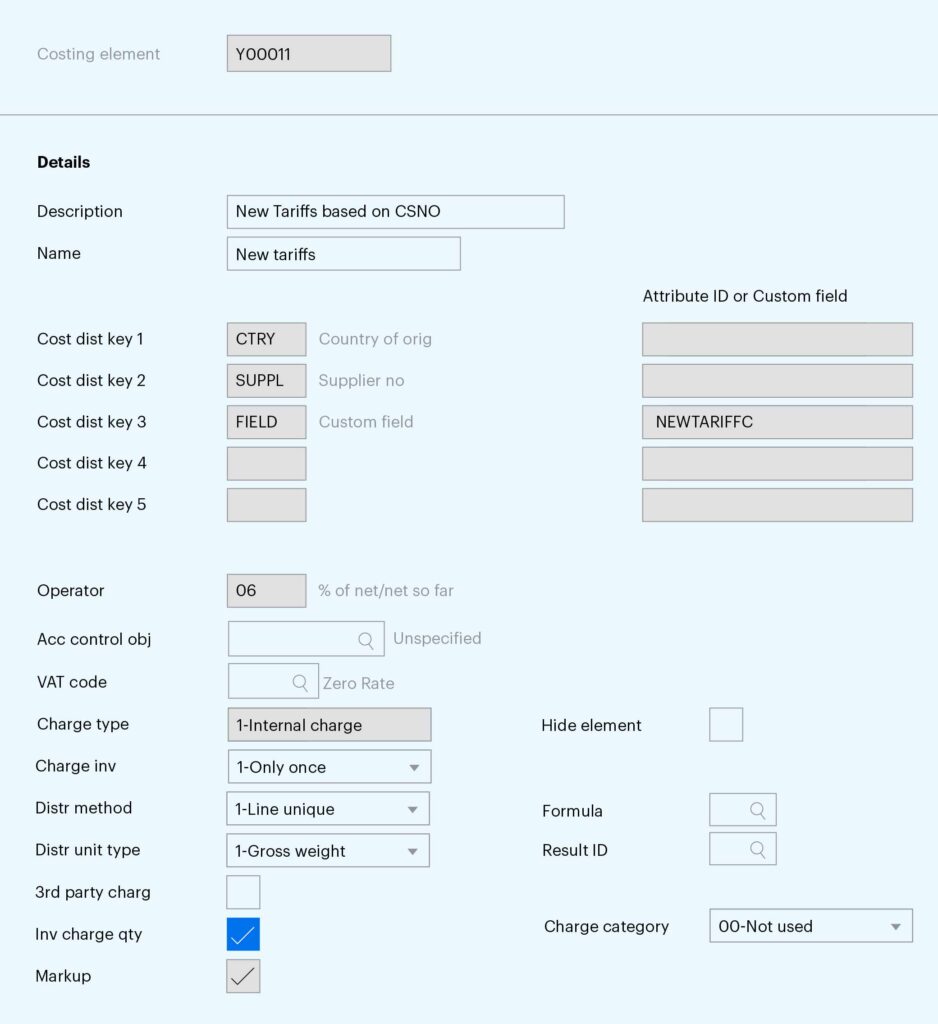
– Define a new purchase costing element in PPS280.
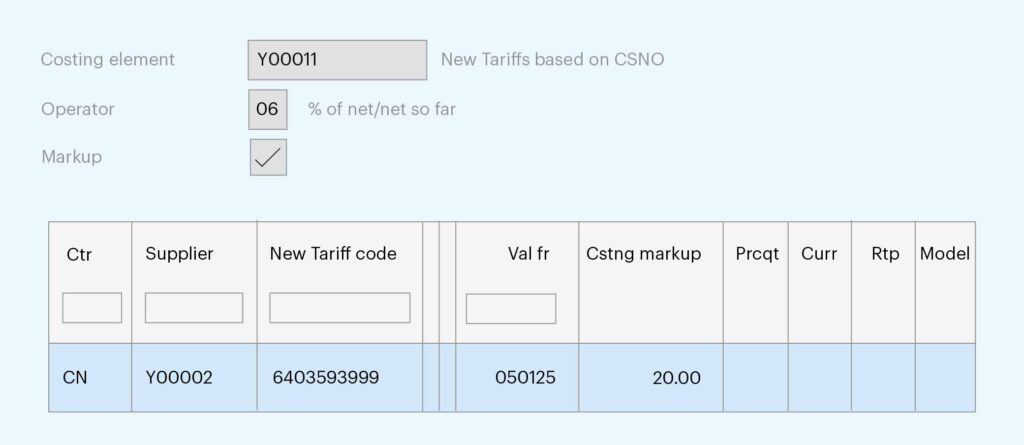
– Add the newly created purchasing cost element to the existing purchasing cost model in PPS285 underneath the existing duty/tariff costing element
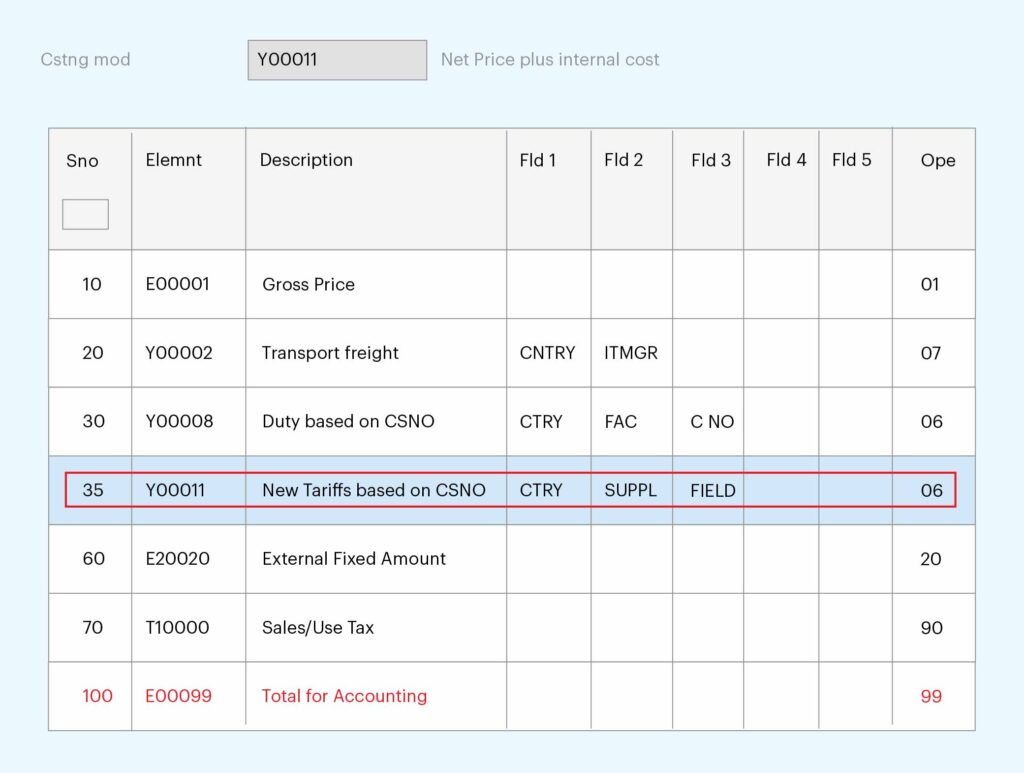
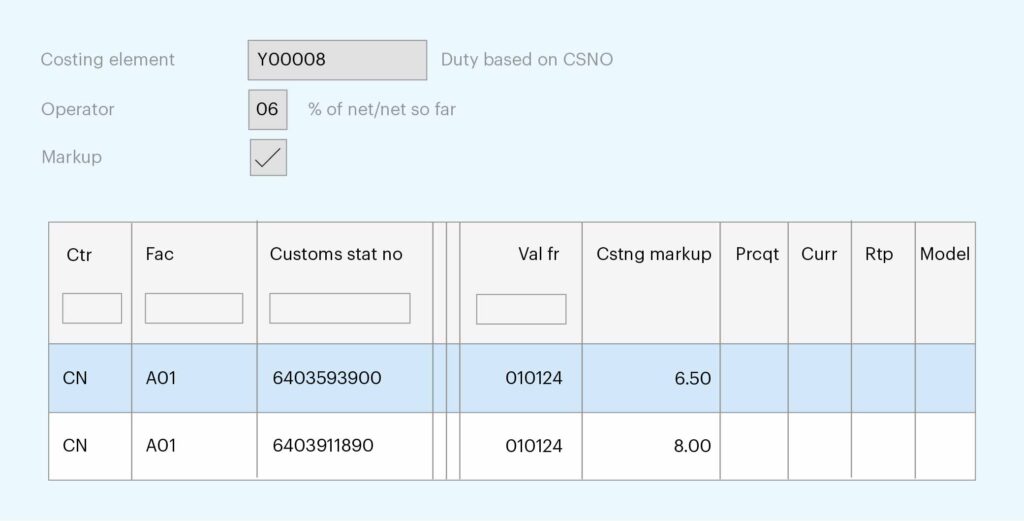
– Now enter a purchase order with the supplier Y00002 in PPS200
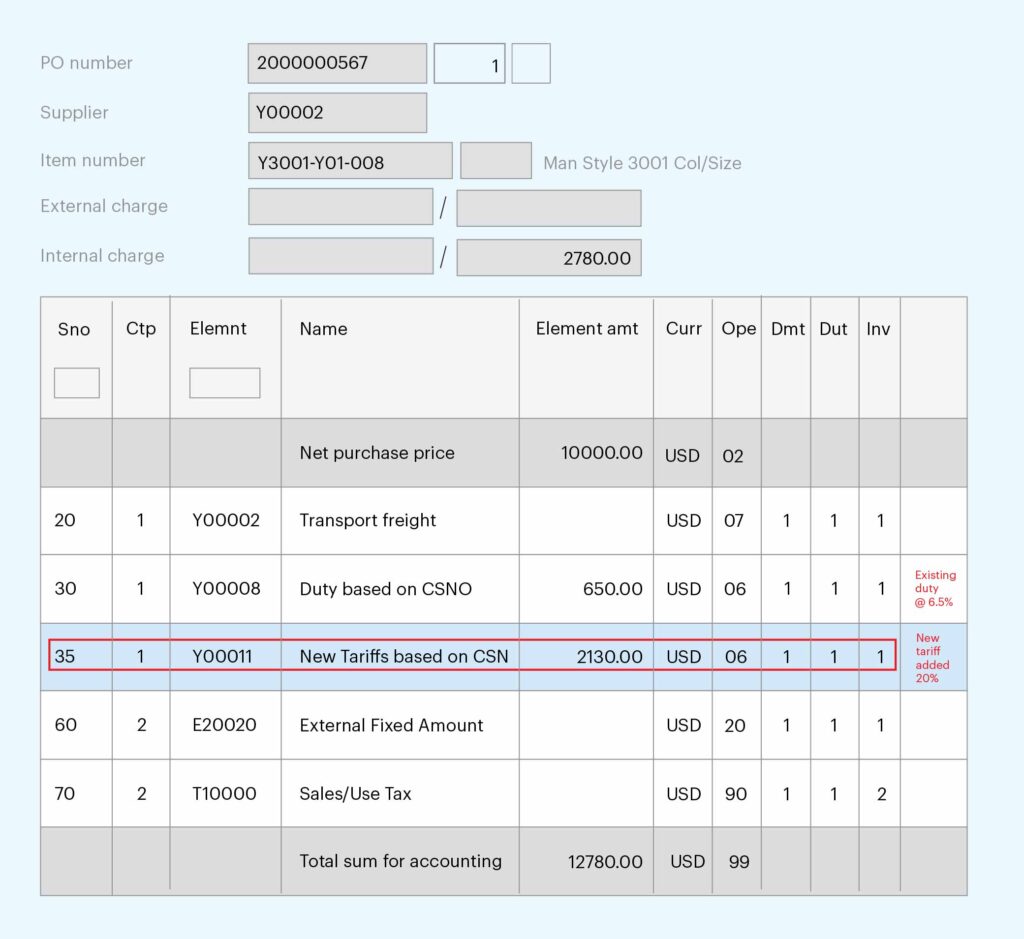
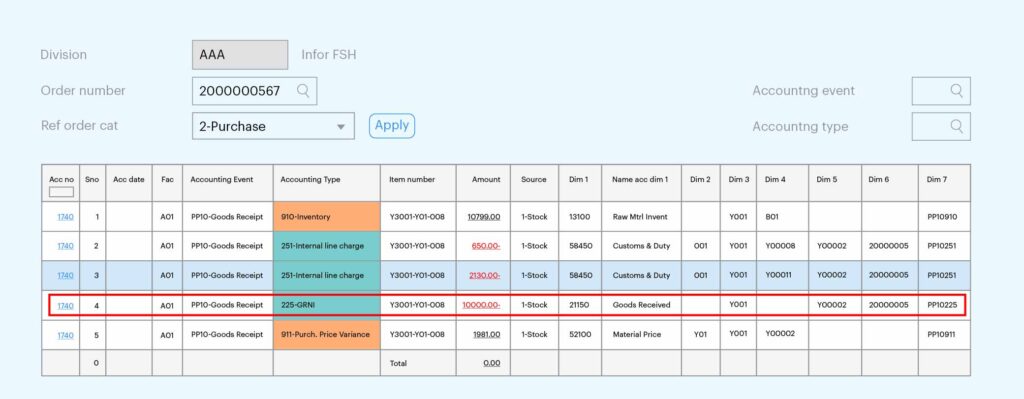
– To capture the additional tariff cost in a different GL account, set up the accounting configuration using the costing element INCEID as one of the accounting dimensions or as an accounting rule exception driver (CRS395).
As global trade policies continue to evolve, businesses must remain agile and responsive to changes like the US April 2025 tariffs. Infor CloudSuite provides a robust framework to model these impacts, adapt procurement strategies, and ensure financial transparency. By configuring your M3 system to calculate and record additional import costs accurately, your organization can stay compliant, minimize disruption, and make informed decisions in an increasingly complex global trade environment.
Have questions about this configuration? Our team is here to help—get in touch to learn more.
Written by: