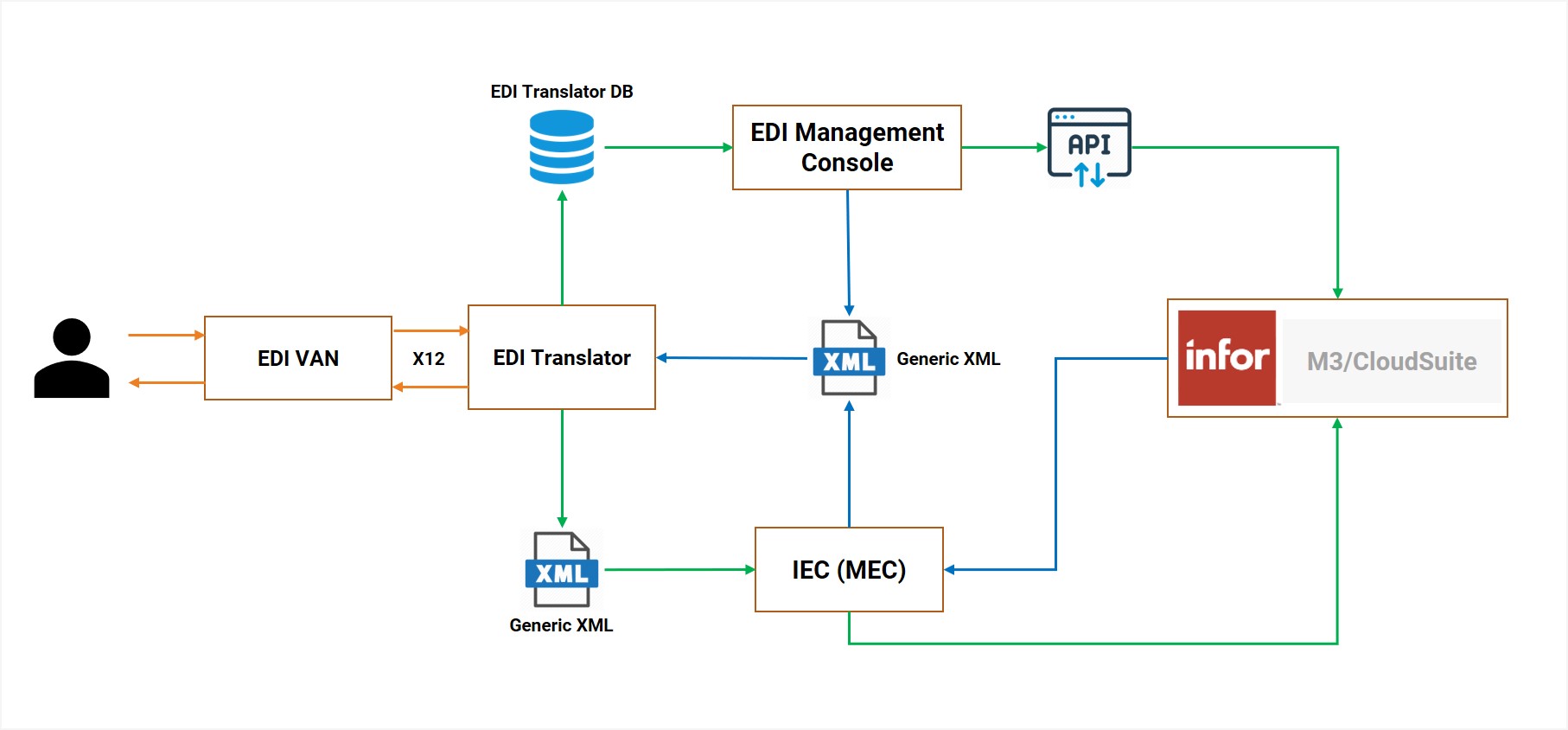
Fortude offers a proven end-to-end electronic data interchange (EDI) solution for Infor M3 and Infor CloudSuite customers. While providing out-of-the-box EDI functionality, Fortude EDI Framework offers unique features that can significantly boost the speed and accuracy of the EDI document exchange and elevate user experience.
Prebuilt EDI mappings for 100+ popular partners
Fortude EDI Framework uses GXS BizManager as the default EDI translator. With BizManager, Fortude has developed prebuilt EDI mappings for 100+ partners, including Amazon, Nordstrom, and Target, covering Order Cycle, Transportation/Logistics Management, Warehouse Fulfillment, and Finance. The prebuilt EDI mappings significantly reduce cost and time spent on EDI integrations. If you opt for the BizManager cloud version, EDI mappings will be managed by BizManager itself, on the cloud.
If you have already implemented a different EDI translator with custom mappings or prefer a different translator, Fortude EDI Framework can be integrated with it as well.
Once the EDI translator converts an EDI file sent by partners into a standardized format, Fortude EDI Framework inserts it into M3. Before EDI data is inserted into M3, the users can review the information and make the necessary changes through the EDI Management Console—a unique benefit of the Fortude EDI Framework.
Figure 1: High-level architecture of the Fortude EDI Framework
EDI Management Console
The EDI management console is one of the key components of the Fortude EDI Framework. It provides different user interfaces to manage, hold, review, revise, and consolidate EDI transactions before posting them to M3.
Review orders before posting to M3 (Inbound 850/860)
In standard M3, business users can see EDI information only after they’ve been posted to M3. The EDI 850/860 interface in the EDI Management Console holds inbound EDI 850/860 information before posting to M3. This allows business users to review order information before rejecting or processing them to M3. Furthermore, the EDI 850/860 interface provides complex validations that are not offered in M3 out of the box.
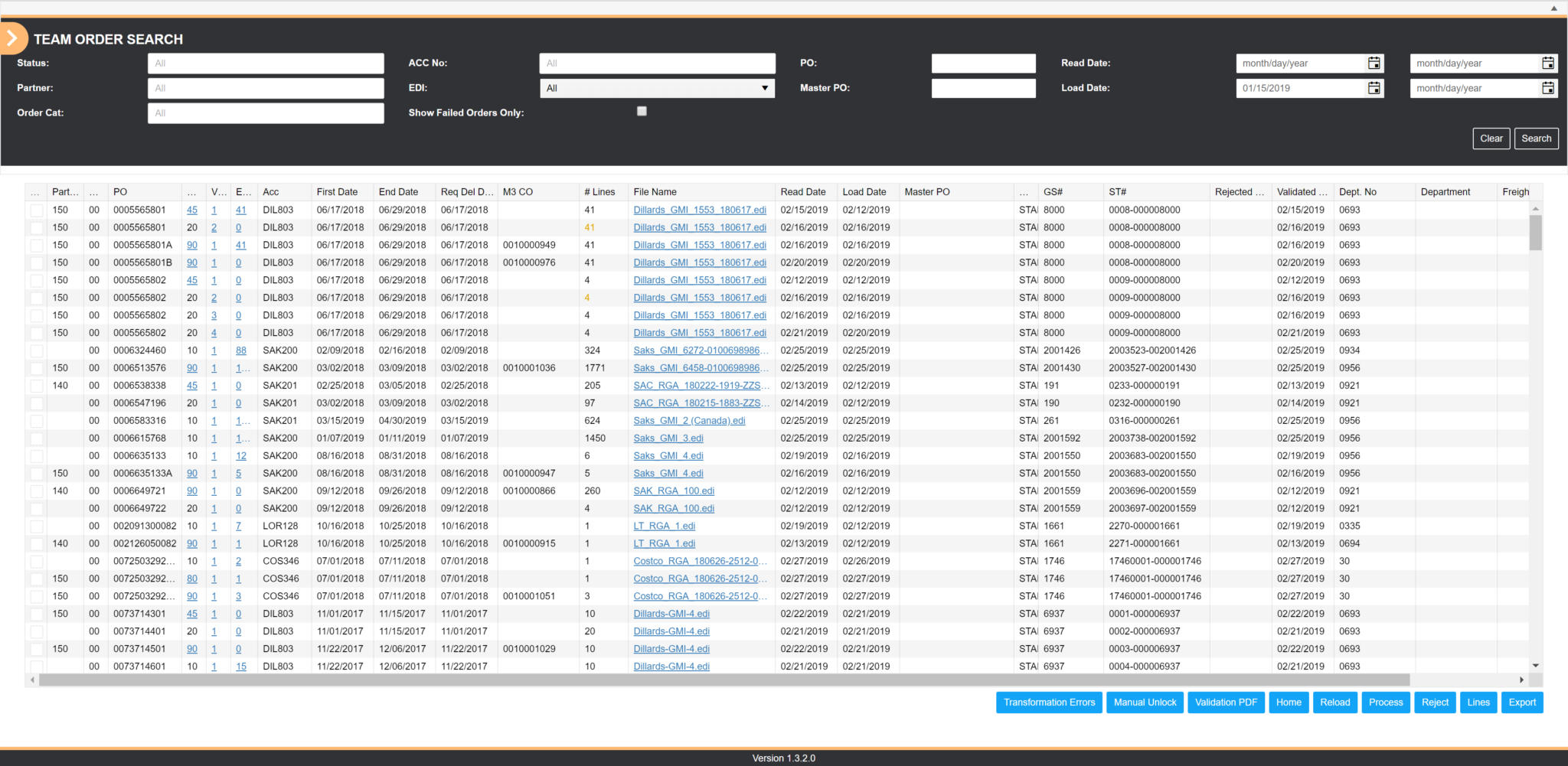
Figure 2: EDI850/860 – Order List
To review header information and order lines of a customer order, you can click on a customer order. Based on the validations that have been implemented, the interface highlights the errors and warnings. In the following example, a warning is displayed to notify a price mismatch between M3 and the EDI 850 transaction set. At this point, the user has the ability to override the warning and process the order into M3 or reject the order.
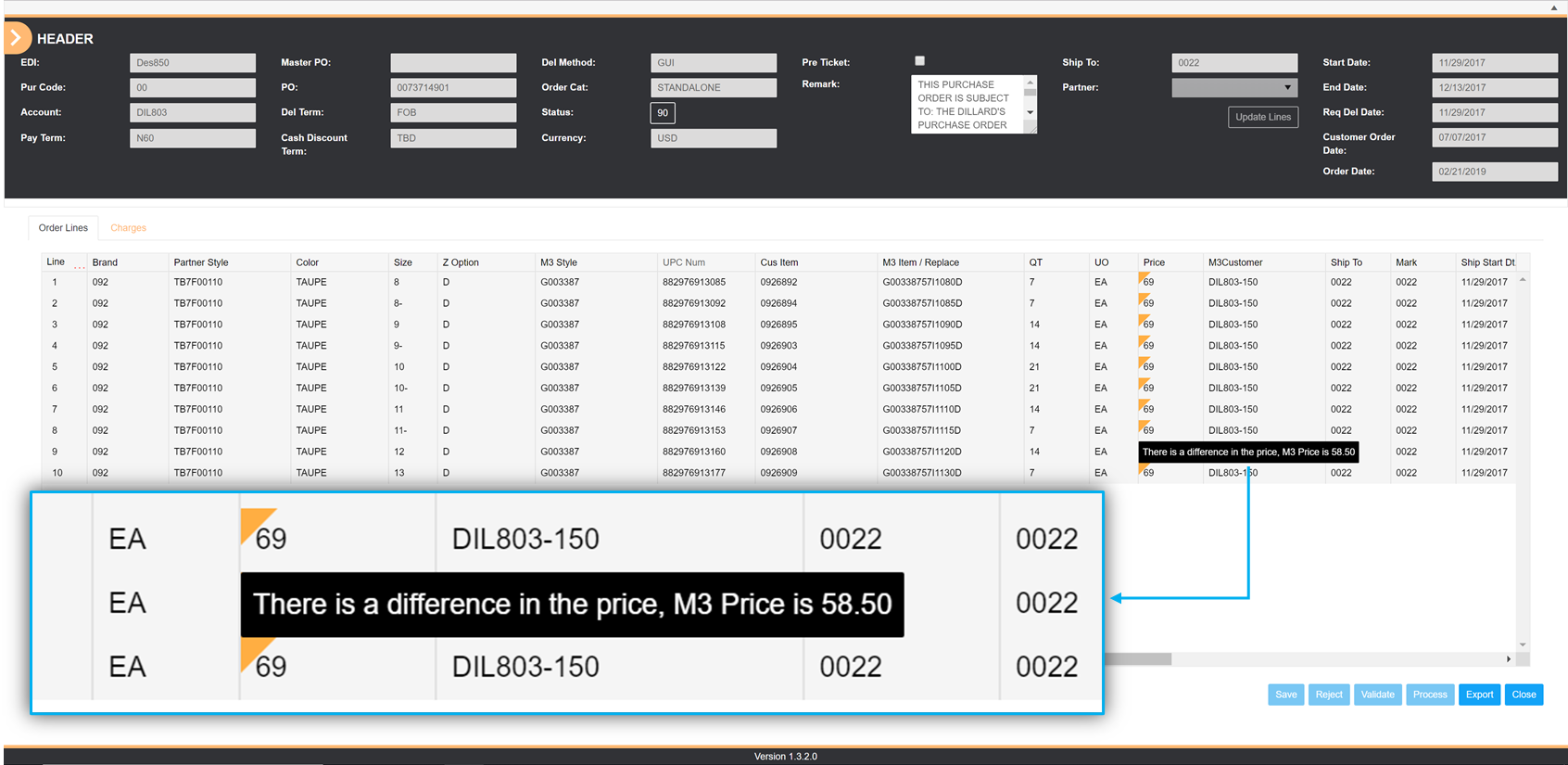
Figure 3: EDI850/860 – Order List with a warning
Review order changes (Inbound 850/860)
Another unique advantage of the EDI 850/860 interface that is not available in standard M3 is the ability to compare and highlight differences between different order versions when customers commit changes to orders. For example, Figure 4 below highlights three types of changes made by the customer. The changes have been color-coded for easy identification.
Green: The customer has added the order line.
Red: The customer has deleted the order line.
Yellow: The customer has changed the value. Hovering over the value flagged in yellow shows its previous value.
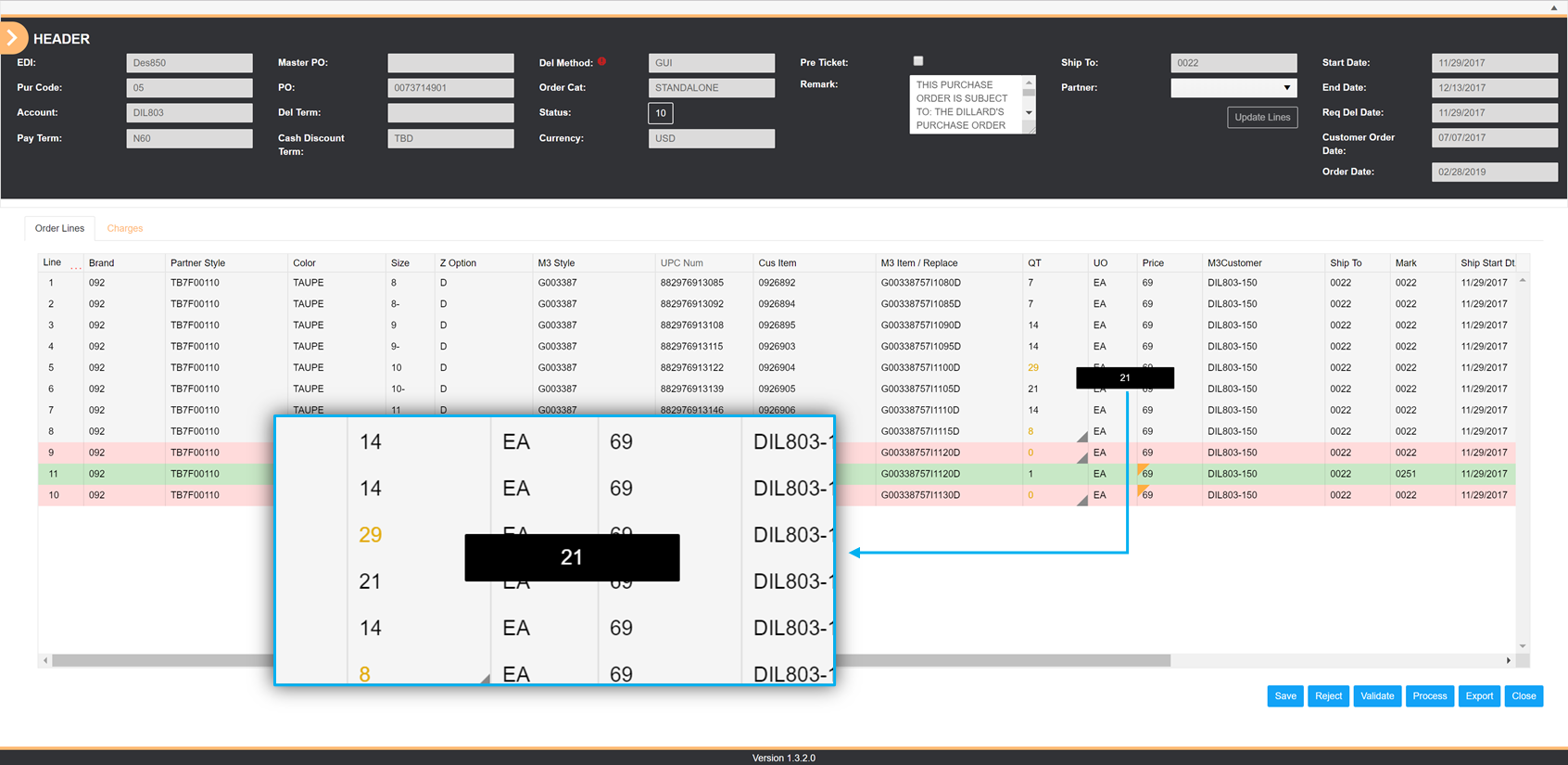
Figure 4: EDI850/860 – Order lines with changes highlighted
Change information before posting to M3
Because the Fortude’s EDI Management Console allows holding EDI information, business users can update information such as Order Type before posting the order to M3. In standard M3, this ability is not provided.
Enable complex business logic validations
EDI management console also allows business users to validate order information against custom-developed complex business logics that are not offered in standard M3. The Fortude EDI Framework is prepackaged with prebuilt logics, but businesses can implement unique or industry-specific business rules as well.
Enhanced BODs to manage EDI 810/EDI 856/EDI 832
Infor M3 provides a standard set of business object documents (BODs) to manage several EDI outbound transaction types. But, businesses often have unique requirements that cannot be fulfilled by standard BODs.
The Fortude EDI Framework provides a set of custom-developed BODs to manage EDI 810, EDI 856, EDI 832, and several other industry-specific EDI transactions. For example, many customers need to consolidate Advanced Shipping Note (ASN) and Invoice transactions; the Fortude EDI Framework enables this key function out of the box.