How convenient would it be for the AR (Account Receivable) team to have an insightful dashboard to keep up-to-date with all the crucial customer-related metrics they use daily? The AR Dashboard offers real-time insights at your fingertips for timely, accurate decision making.
When the user enters transactions in AR Sales, the M3 database captures the data. The captured data is then pushed to the Data Lake and is transferred to the MDM (Master Data Management) database. AR Dashboard then retrieves data from the MDM database using REST APIs and displays them in a series of subforms and grids as pop-up windows. In addition, all forms support the MS Excel download function.
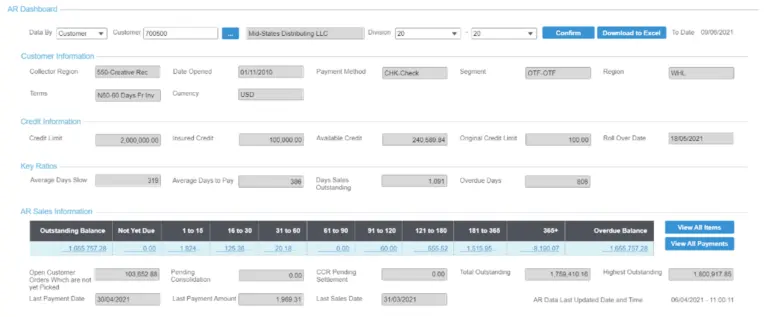
Figure 3: Accounts Receivable (AR) Dashboard
As mentioned above, this application contains a list of sub forms and grids.
AR Dashboard – Displays customer Information, credit Information, key ratios, and AR sales information of the selected customer with additional summary details. The two buttons in ‘View All Items’ and View All Payments’ are linked to AR Items and AR Payments screens, respectively.
AR Items – Displays all transactions (invoices, credit notes, debit notes, account payments), outstanding balance, and age bucket drill-down.
AR Payments – Displays the summary details of payments as well as invoice level details of the payment. Additionally, the Voucher/Doc No of each record is linked to the AR Payments Details screen.
AR PaymentDetails – Displays payment details, voucher items drill-down. The Payment Reconciliation button is linked to Voucher and GL Account Details screen.
Voucher and GL Account Details – Displays further details of voucher and GL accounts.
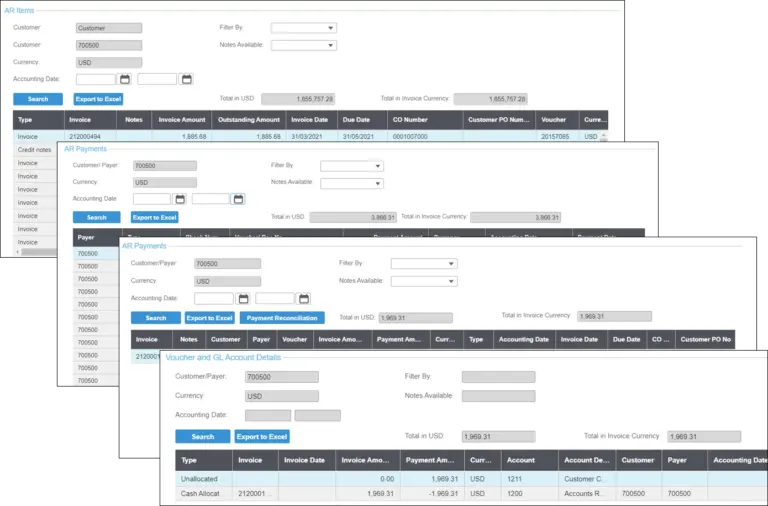
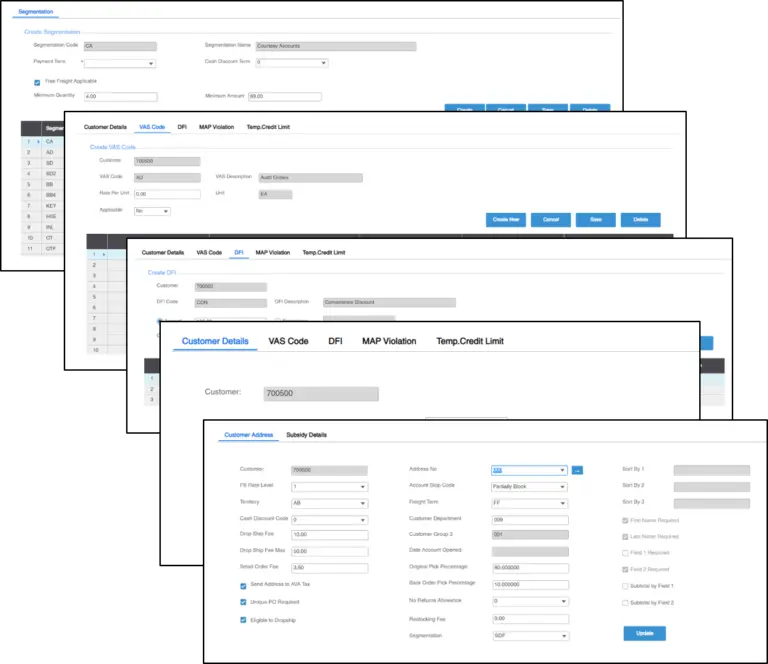
Figure 4: List of sub forms and grids